
Your Printer Asked for a Vector File. Now What?
You send your logo to a printer for a new sign, shirt, or brochure, and they respond:
“Do you have the vector file?”
You look at the JPG you’ve been using for years and think… Isn’t this the logo file?
Having a logo and having the right logo files are two different things. And once you have those files, you also need guidelines for how your logo, colors, and fonts should be used. Together, your logo files and brand style guide help your business look consistent everywhere.
Why One Logo File Isn’t Enough 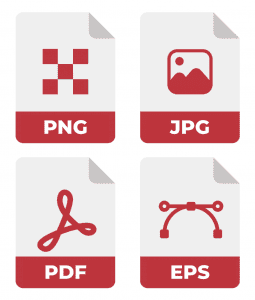
Different projects require different file formats. A logo that looks great on your website might become blurry when enlarged for a sign, while another might leave an awkward white box when placed over a photo.
Here’s what the most common file formats are used for:
PNG: Great for websites, social media, and digital graphics. PNGs can have transparent backgrounds, making them especially useful for logos.
JPG: Useful for general digital applications and photos, but JPGs don’t support transparency and can lose quality through compression. Good to have, but shouldn’t be your only logo file.
PDF: Often used for professional printing when properly created. Just remember, saving a blurry JPG as a PDF doesn’t magically make it high-resolution. Nice try, though.
Vector Files: Formats like AI, EPS, and SVG can be resized without becoming blurry or pixelated. They’re especially important for signs, apparel, vehicle graphics, and promotional products.
Even if you can’t open an AI or EPS file yourself, keep it. Someone will ask for it eventually.
What Should Your Designer Give You? 
When you pay for professional logo design, you should receive more than one JPG attached to an email.
Your final logo package should ideally include vector artwork, a print-ready PDF, a high-resolution transparent PNG, and appropriate JPG versions, along with full-color, black, white/reversed, and alternate logo configurations when applicable.
And the files should actually be final.
If your “finished” logo still has a giant sample watermark across it, that’s less of a brand asset and more of a very expensive screenshot.
Where Does a Brand Style Guide Come In?
Having the files means you have the right assets. A brand style guide tells everyone how to use them.
Your guide should identify your approved logos, fonts, basic usage guidelines, and exact brand colors. Those colors should typically be provided in a few different formats because the right one depends on where your design will appear:
- HEX: Usually used for websites and other digital applications. It’s the six-character color code you may recognize, like # F123456.
- RGB: Stands for Red, Green, Blue and is used for colors displayed on screens, including digital graphics, presentations, and social media.
- CMYK: Stands for Cyan, Magenta, Yellow, and Key (Black) and is commonly used for professional printing, such as brochures, business cards, signs, and other printed materials.
Why does it matter? The red you see on your computer screen doesn’t always translate exactly to printed ink. Having the proper HEX, RGB, and CMYK brand color values gives your designers, printers, and marketing partners the information they need to keep your colors as consistent as possible across different applications.
That way, your website isn’t using one shade of red while your brochure uses another, your social graphics don’t suddenly introduce three new fonts, and nobody stretches your logo until it looks like it went through a funhouse mirror.
The files provide the pieces. The brand guide provides the instructions.
Don’t Have the Right Logo Files? Red Technologies Can Help.
Maybe you never received the original files. Maybe all you have is a tiny JPG pulled from your website. Or maybe you have five versions of your logo and no idea which one is correct.
The graphic designers at Red Technologies can help create and organize the logo files, brand assets, colors, fonts, and style guidelines your business needs to stay consistent.
Because the next time someone asks, “Can you send me the vector file?” we’d like your answer to be something other than “Would this Word doc work?” (Spoiler… It most absolutely does not.)